

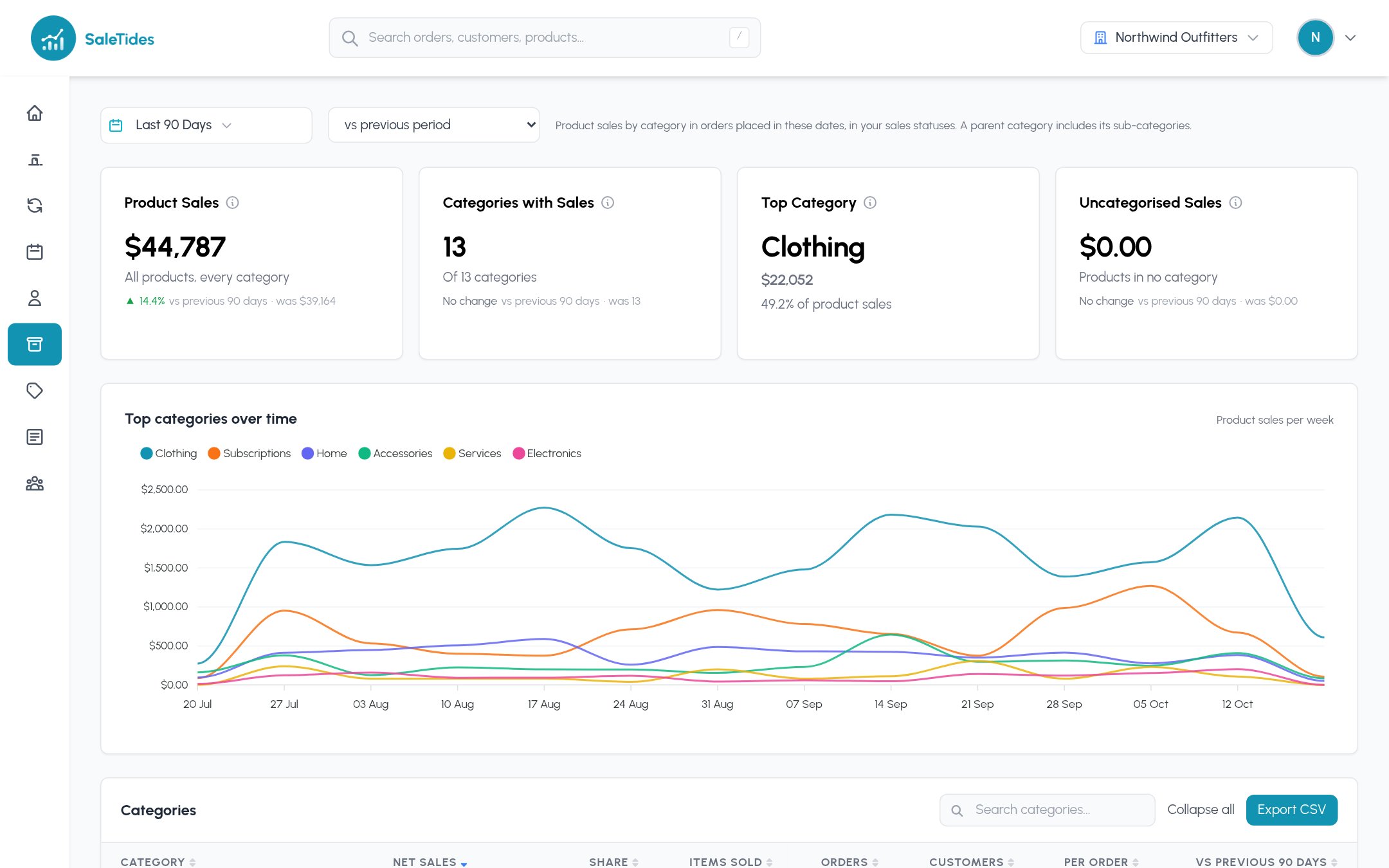
The cards
The chart below follows your six biggest top-level categories over time.
The categories table
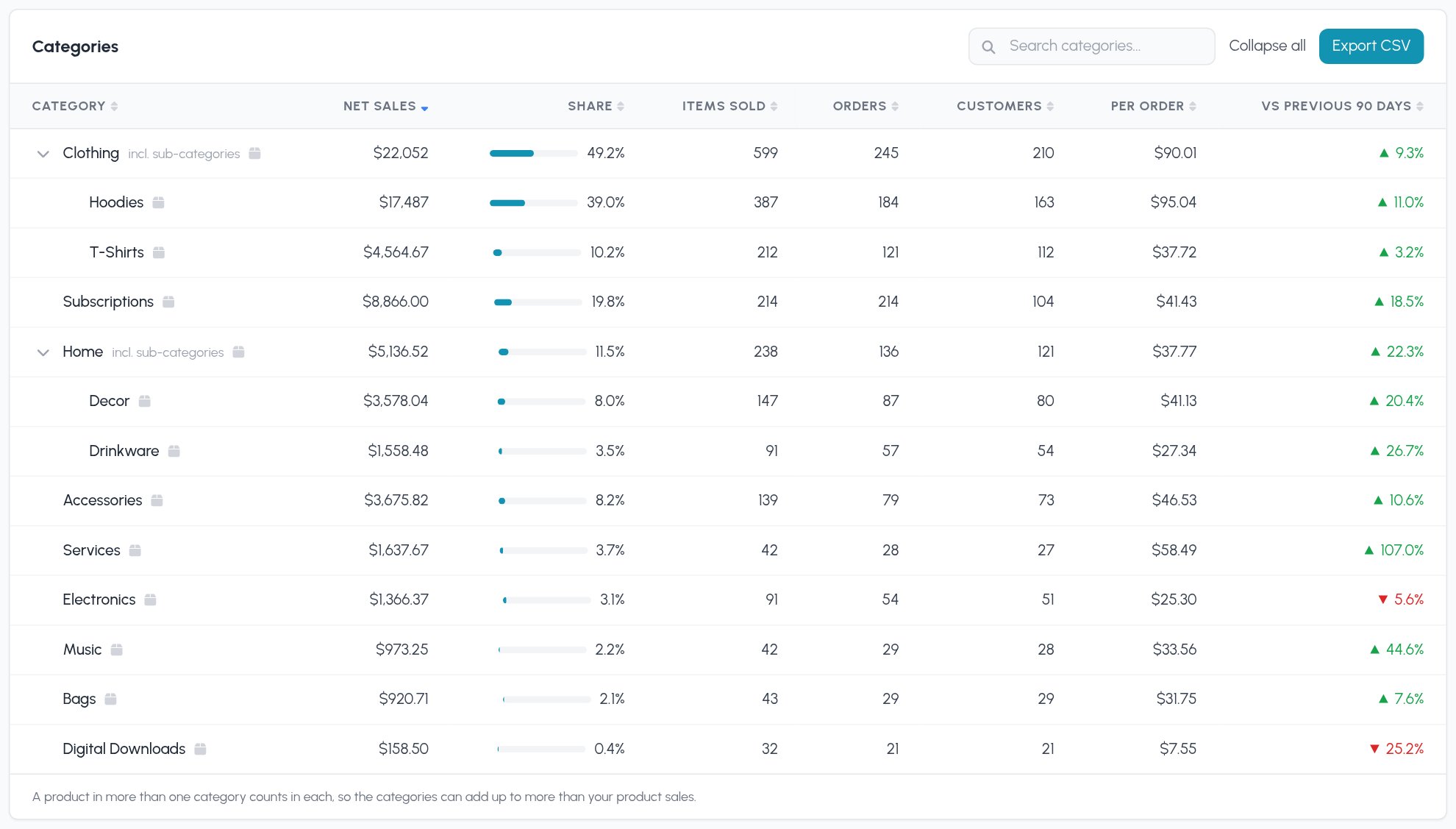
- Parent categories include their sub-categories. Clothing’s row covers Hoodies and T-Shirts; click the arrow to see them, or Expand all. A product in both a parent and its sub-category counts once in the parent.
- A product in two categories counts in both. A hoodie in “Hoodies” and “Sale” adds to both rows, so the rows can add up to more than your product sales. Metorik and WooCommerce Analytics count the same way.
- Variations count toward their product, and so toward its categories.
A category’s page
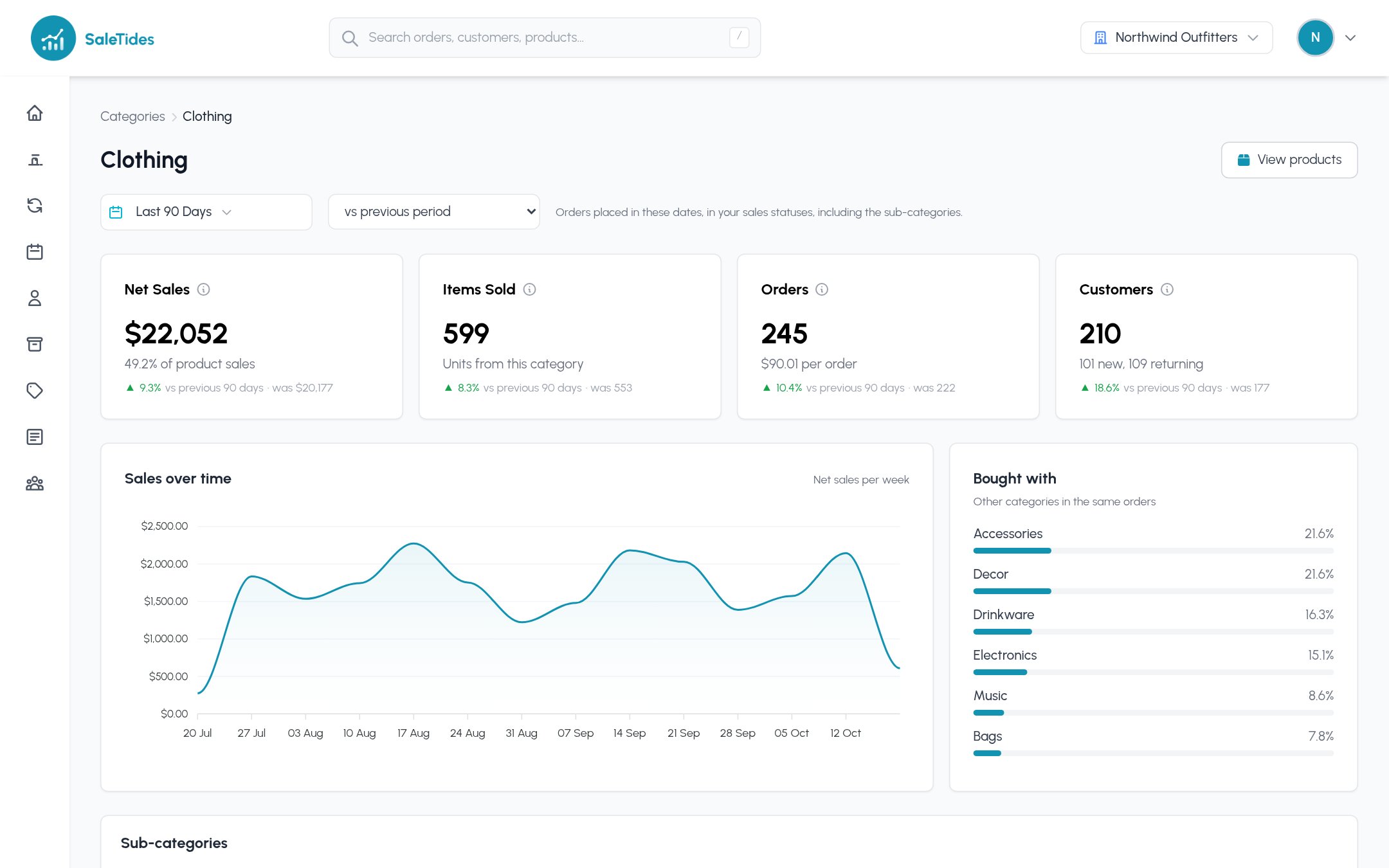
- Net sales, items, orders and customers, each against your comparison period, with sales per order and how many customers were new.
- Sales over time.
- Bought with: the other categories most often in the same orders, as a share of this category’s orders.
- Sub-categories, products ranked by sales (with their share of the category) and top customers by spend.