

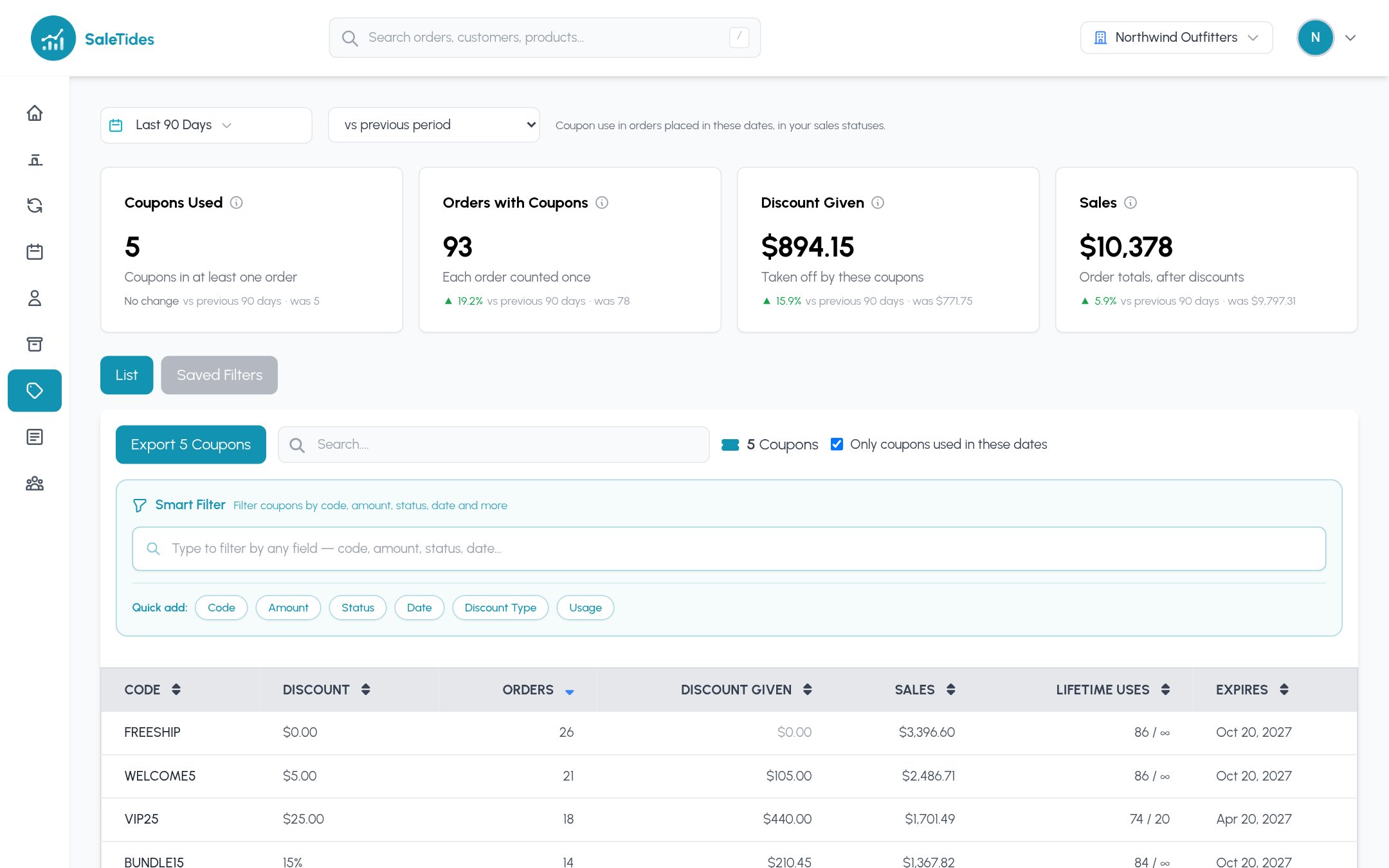
The cards
Tick Only coupons used in these dates to hide coupons nobody used. Filter coupons by code, amount, status, discount type, dates, usage and more with the Smart Filter, save filters, and export to CSV.
A coupon’s page
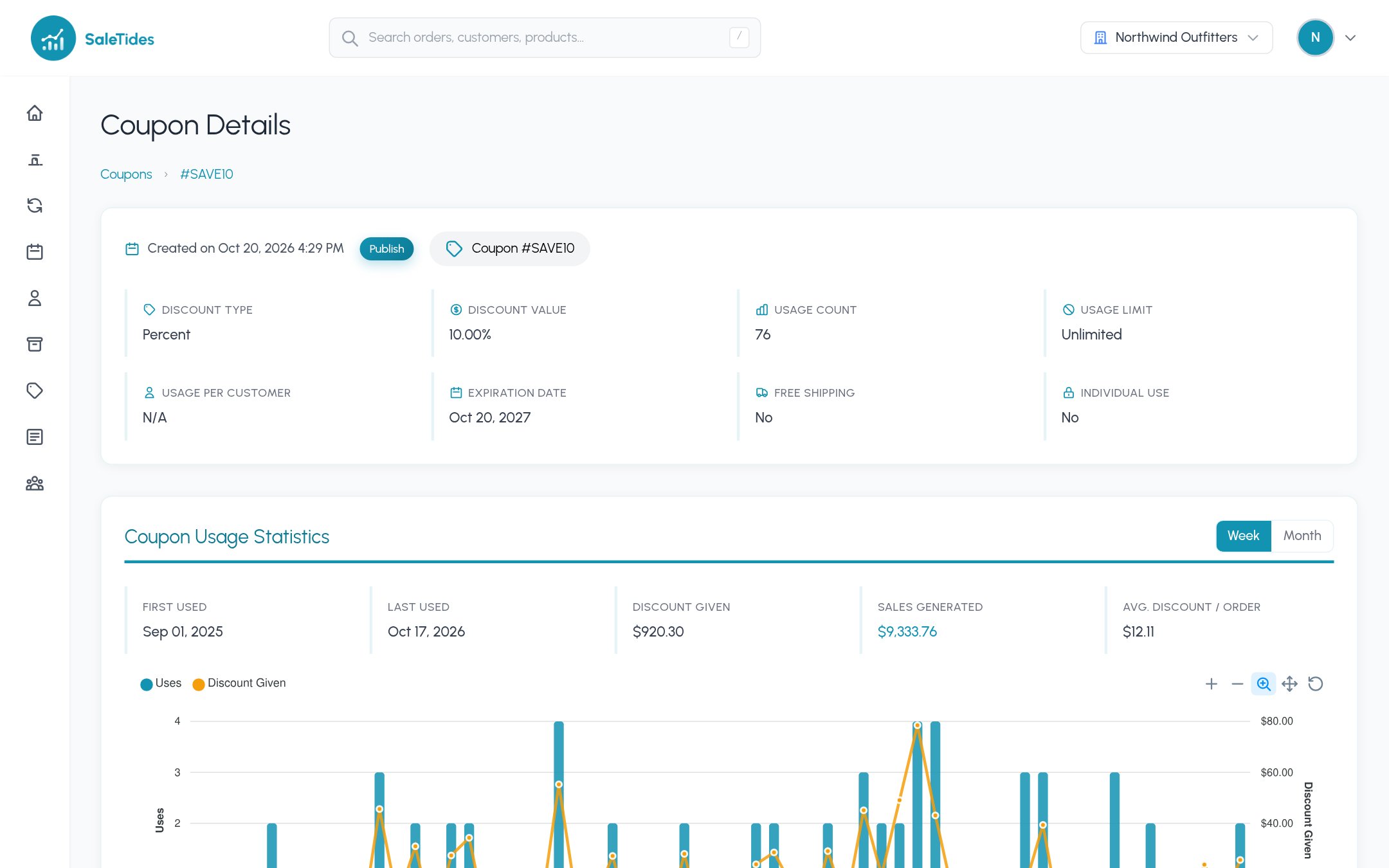
- Coupon usage statistics: first and last use, discount given, sales generated and orders, with a chart over time.
- Products most frequently purchased with the coupon.
- Orders using this coupon, each linked to the order.
- Coupon conditions: product and category restrictions, minimum and maximum spend, usage limits, email restrictions and expiry.
- Used by: the customers who used it.
Ideas
- Compare a launch coupon’s sales with the discount it cost.
- Find coupons that are used but restricted to the wrong products.
- Save “Coupon Code is not empty” as a filter on the Orders list to follow discounted orders over time.