

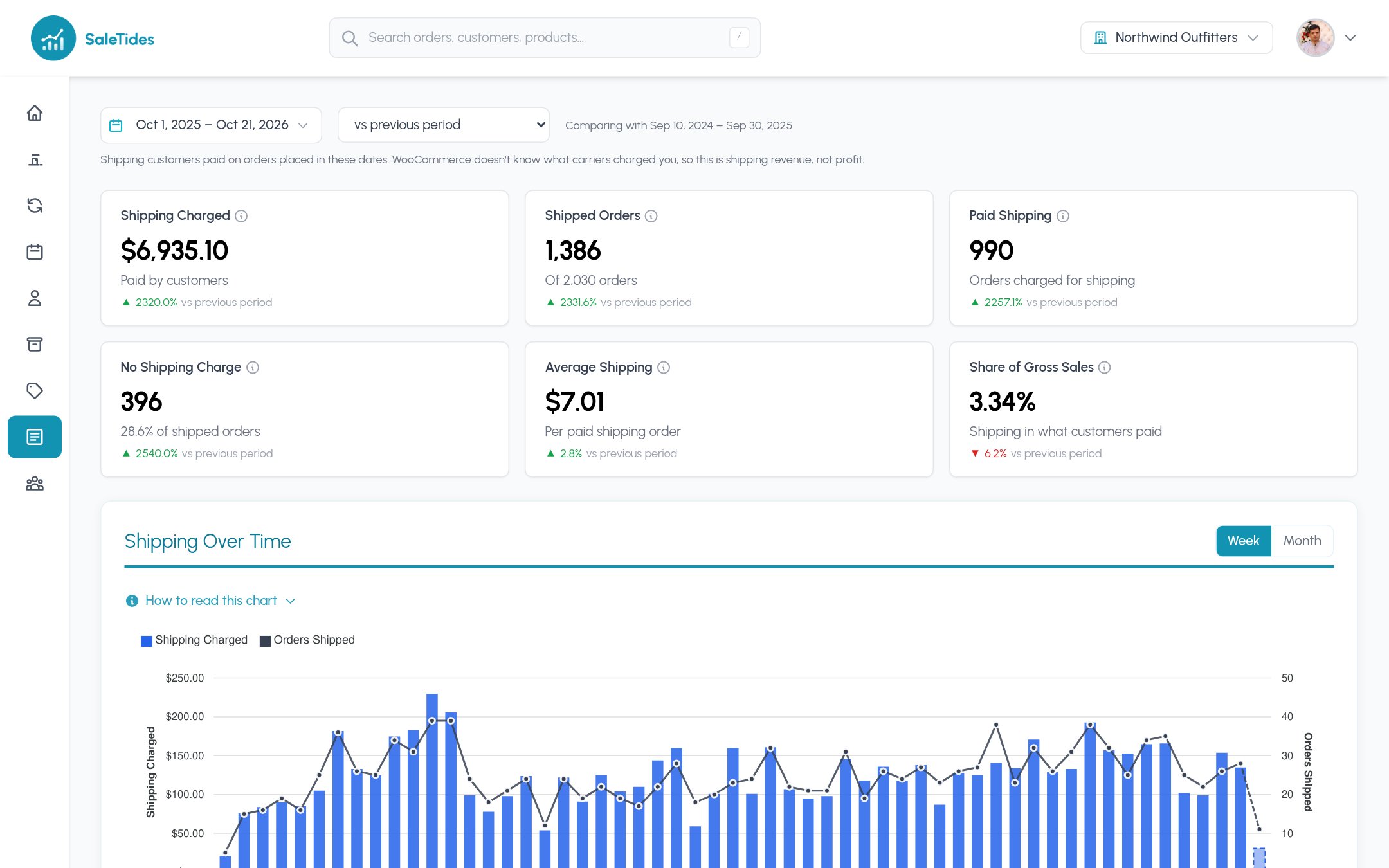
WooCommerce knows what you charged the customer, not what your carrier billed you, so this is shipping revenue, not shipping profit. Refunds aren’t split by shipping in WooCommerce, so refunded shipping isn’t taken off.
The cards
Shipping is part of gross sales and left out of net sales, as everywhere in SaleTides.
By method
Each shipping method with its orders, shipping charged, average per order and how many of its orders had no charge. Carriers often add changing detail in brackets, such as UPS Ground (Intransit days: 2); that detail is dropped so the same service is one row. The method’s ID (for exampleflat_rate) is shown under its name.
By destination
Shipped orders by country: the shipping address, or billing when there’s none. Compare the average charge and the share with no charge by country to spot where you subsidise shipping most.By month
Orders, shipped orders, paid and no-charge orders, shipping charged and the average per paid order, one row per month. Every table has Export CSV.Using it
- Check your free-shipping threshold. A high share of orders with no shipping charge and a low average order value can mean the threshold is too low.
- Compare with your carrier bills. If Average Shipping is below what you pay per parcel, shipping costs you money on every order.
- Shipping on the dashboard. Add the Shipping widget (Add Widget → Orders) to see shipping charged at a glance; it opens this report.