

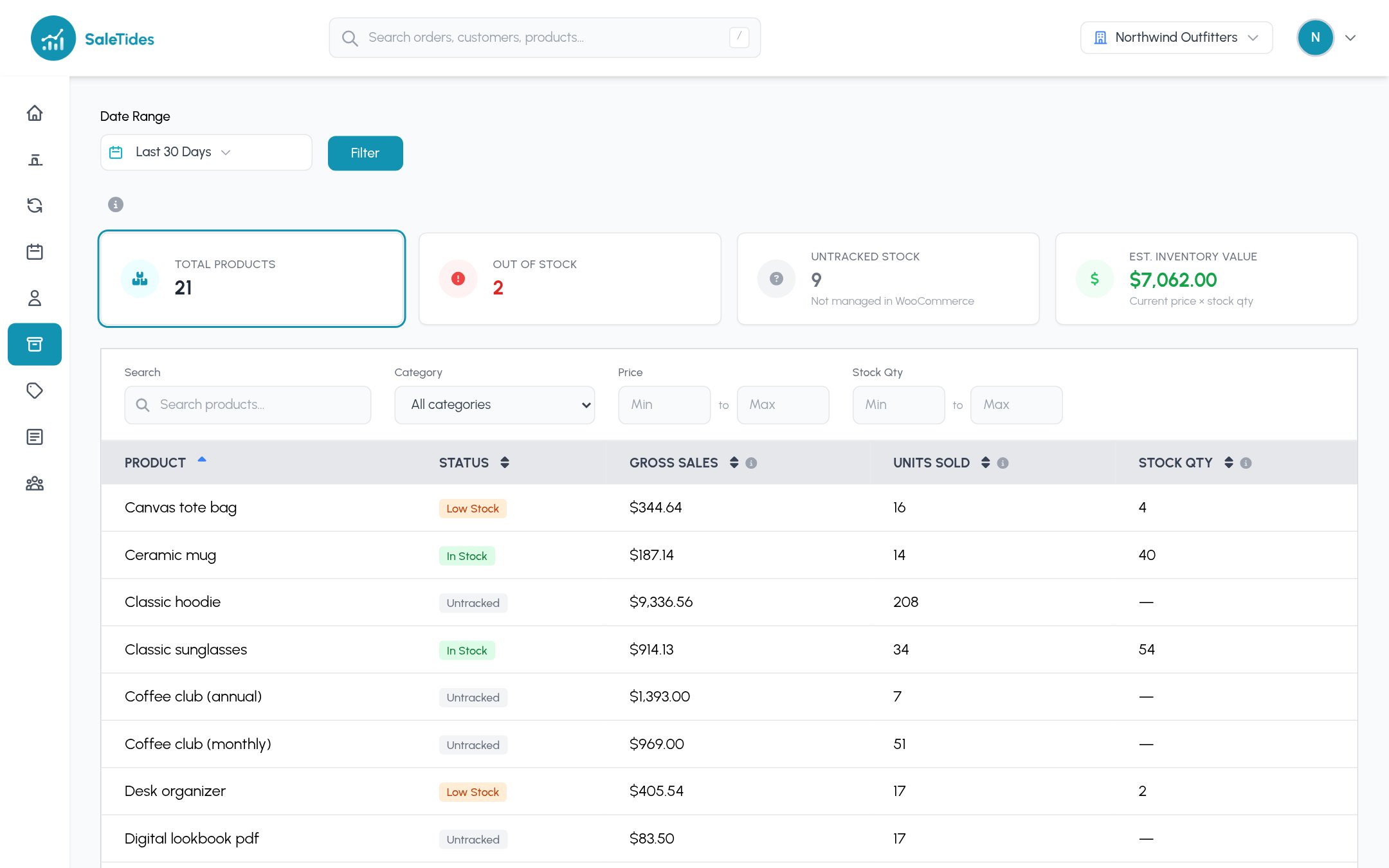
The cards
Click a card to filter the list. Each product shows Low Stock, In Stock, Out of Stock or Untracked, its sales and units in your dates, and its stock quantity. Filter by name, category, price and stock quantity.
Low stock level and alerts
In Settings → Store Settings → Notifications:- Low stock level: products at or below this many units count as low stock, here and on the dashboard’s Low / Out of Stock widget.
- Stock Alert Emails: get an email when products go out of stock or reach your low-stock level. SaleTides checks every hour and only emails about products that newly changed. Send it to your account email or another address.