

New to SaleTides? Start here
1
Connect your store
Enter your store’s address and approve SaleTides in WooCommerce. It takes about two minutes. Connecting your store →
2
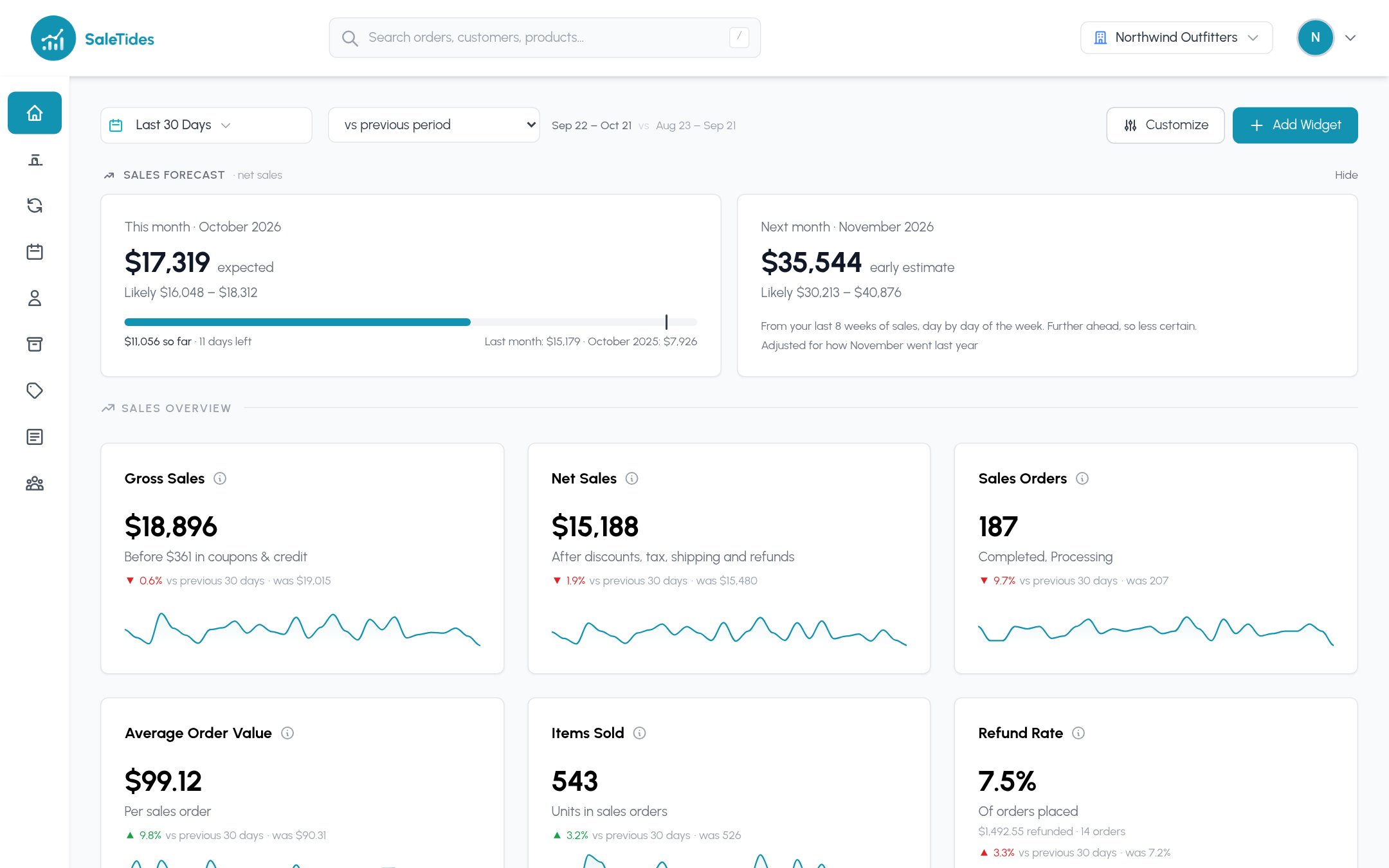
Your dashboard opens with your recent orders
Your last 30 days of orders are imported first, so the dashboard opens in minutes. Older history fills in behind it. Your first import →
3
Find your way around
Every report shares the same date picker, comparison, filters and columns. Finding your way around →
Explore
Dashboard
Your key numbers, a sales target and a forecast, with widgets you choose.
Orders
Every order, Smart Filters, saved filters and exports.
Sales
Revenue, refunds, discounts and store credit, and coupons.
Customers
Profiles, groups, retention and where customers come from.
Products
Products, categories, best sellers, stock and variations.
Subscriptions
MRR, churn, plans, renewals and subscription cohorts.
Cohorts
How each month’s new customers keep buying.
AI assistant
Ask about your store in plain English, in SaleTides or in Claude or ChatGPT.
Metrics glossary
What every number means and how it’s worked out.
Need help?
Numbers don't match WooCommerce?
The usual reasons, and how to check.
Contact support
Email support@saletides.com. We reply within one business day.